The SoProb Extension:A New Guide and Updates in One Click
The browser extension now has its own page on SoProb: the current version, the installation in four steps, updates from the popup and connections that last while you use them.
The SoProb browser extension shows my projections and match odds right on your Sorare cards while you pick your lineups. From today it has its own page on SoProb: Extension in the menu opens the download, the installation in four steps and everything the extension does. The current version is 0.1.64.
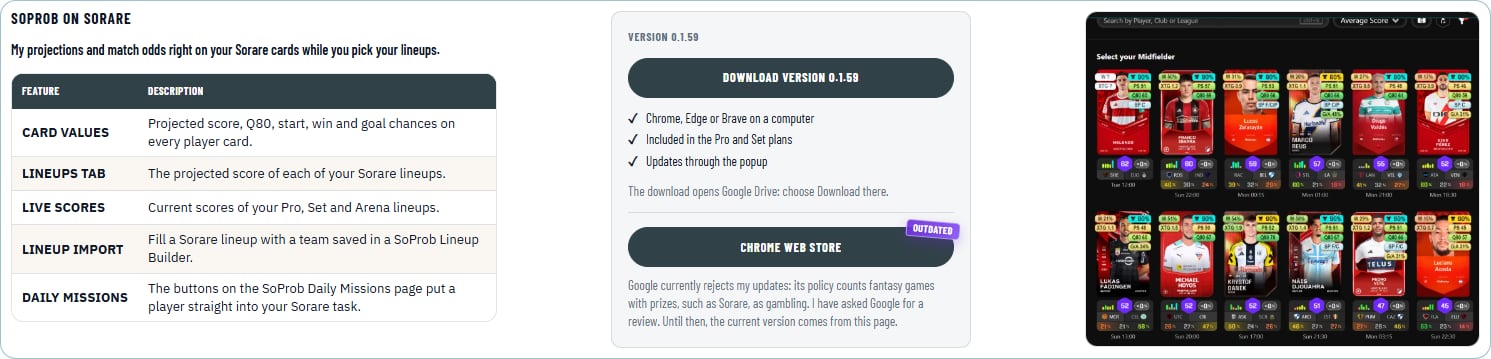
Why there is no Chrome Web Store version
Google has taken the extension out of the Chrome Web Store for good: its policy counts fantasy games with prizes, such as Sorare, as gambling. The current version and every update come from the Extension page.
If you installed the extension from the Chrome Web Store, remove it on chrome://extensions first and then install the current version. Both share one ID, so Chrome keeps only one of them. Connect your SoProb account once more afterwards.
Install in four steps
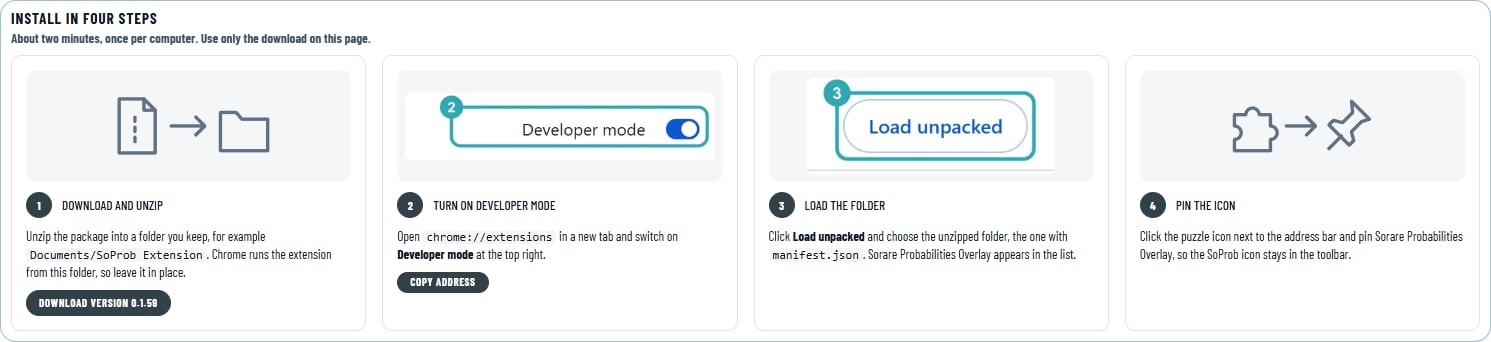
- Download the package on the Extension page and unzip it into a folder you keep, for example Documents/SoProb Extension.
- Open chrome://extensions and switch on Developer mode at the top right.
- Click Load unpacked and choose the unzipped folder, the one with manifest.json.
- Pin Sorare Probabilities Overlay in the toolbar, open it and choose Connect account.
It takes about two minutes and works in Chrome, Edge and Brave on a computer. The extension is included in the Pro and Set plans. Use only the download on the Extension page.
Updates in one click
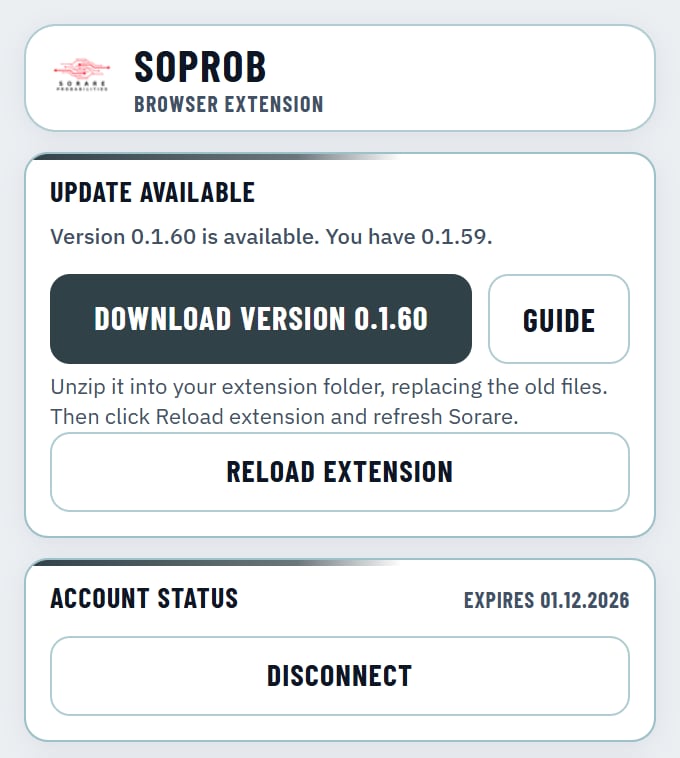
The popup tells you when a new version is out:
- Download opens the new package, Guide opens the Extension page.
- Unzip the package into your extension folder and replace the old files.
- Click Reload extension in the popup and refresh Sorare. Your connection and settings stay.
The Reload button comes with version 0.1.58. On older versions, click the reload arrow of Sorare Probabilities Overlay on chrome://extensions once.
Connections that last while you use them
Until now a connection ended 30 days after you connected, even if you used the extension every day. A connection made from today on stays while you use it and only ends after 30 days without use or when you change your SoProb password. Older connections still end 30 days after they were made: then choose Connect account once more, and the new connection lasts.
What the extension does
| Feature | Description |
|---|---|
| Card values | Projected score, Q80, start, win and goal chances on every player card |
| Lineups tab | The projected score of each of your Sorare lineups |
| Live scores | Current scores of your Pro, Set and Arena lineups |
| Lineup import | Fill a Sorare lineup with a team saved in a SoProb Lineup Builder |
| Daily Missions | The buttons on the SoProb Daily Missions page put a player straight into your Sorare task |
The Extension page also explains every value on the cards and every switch in the popup.