Stat Colors:Spot the Best Fixtures at a Glance
Color-code Win %, CS %, Team xG, xGA, G/A %, DS%, L5/L10, P70%/P80% and Value in every football tab, like the old Google Sheet and the browser extension. Turn it on in Settings > Preferences > Football.
In the old SoProb Google Sheet, the colors did a lot of the work: one look at a column and the good fixtures stood out. A user asked to bring this back to the web version, and here it is: Stat Colors.
Turn it on
Open Settings > Preferences and switch Stat Colors to Enabled in the Football block. The choice is saved to your account and applies to every football tab at once. It is off by default, so nothing changes until you turn it on.

What gets colored
Only the numbers change color. PS and Start % keep their pills, so they still stand out first in every row.
| Stat | Scale |
|---|---|
| Win % | red at 0, amber at 30, green from 70 |
| CS %, G/A %, DS% | red at 0, amber at 30, green from 60 |
| Team xG | red at 0, amber at 1.25, green from 2.5 |
| xGA | reversed: green at 0, amber at 1.25, red from 2.5 |
| L5 and L10 | plain text, turning orange towards 75 |
| P70%, P80% and 70+ % | plain text, turning purple towards 100 |
| Value and Value Raw | red below 0, green above, full color at ±15 |
The scales follow the old sheet and the card badges of the browser extension. The colors run smoothly: a Win % of 50 sits between amber and green instead of jumping from one to the other. For orange and purple, 0 stays plain text and the color gets stronger the higher the value.
Fixtures at a glance
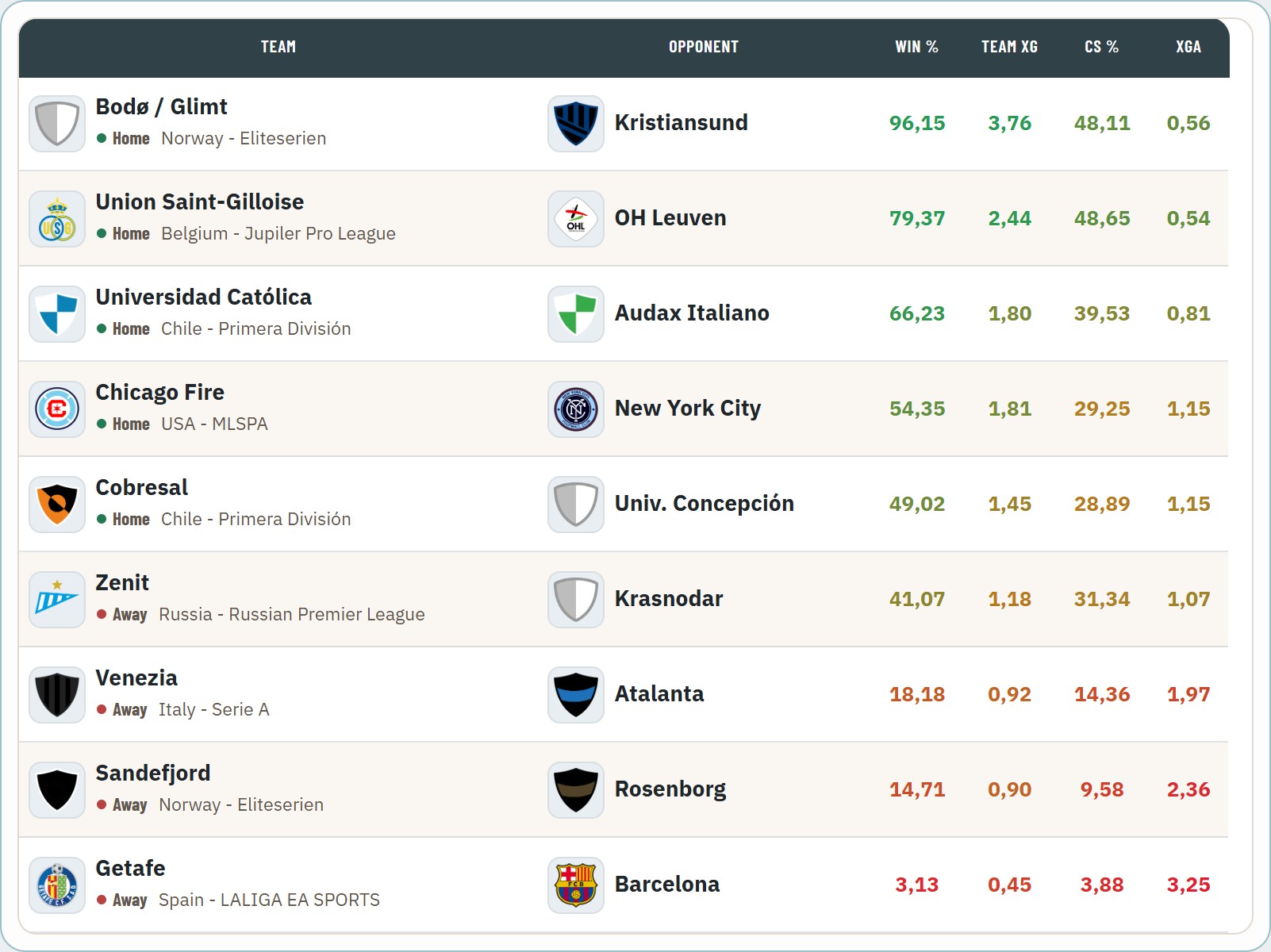
The Fixtures tab shows it best. Strong favourites are green across Win %, Team xG, CS % and a low xGA; clear underdogs are red.
In the player tables
The same colors appear in every player table: Player DB, My Players, Set Players, Daily Missions, the DS Picker, Watchlist, Vault and the Lineup Builder. Players of a favoured side line up in green, players facing a strong opponent in red, and P70%, DS% and Value show at a glance who has upside in this match.
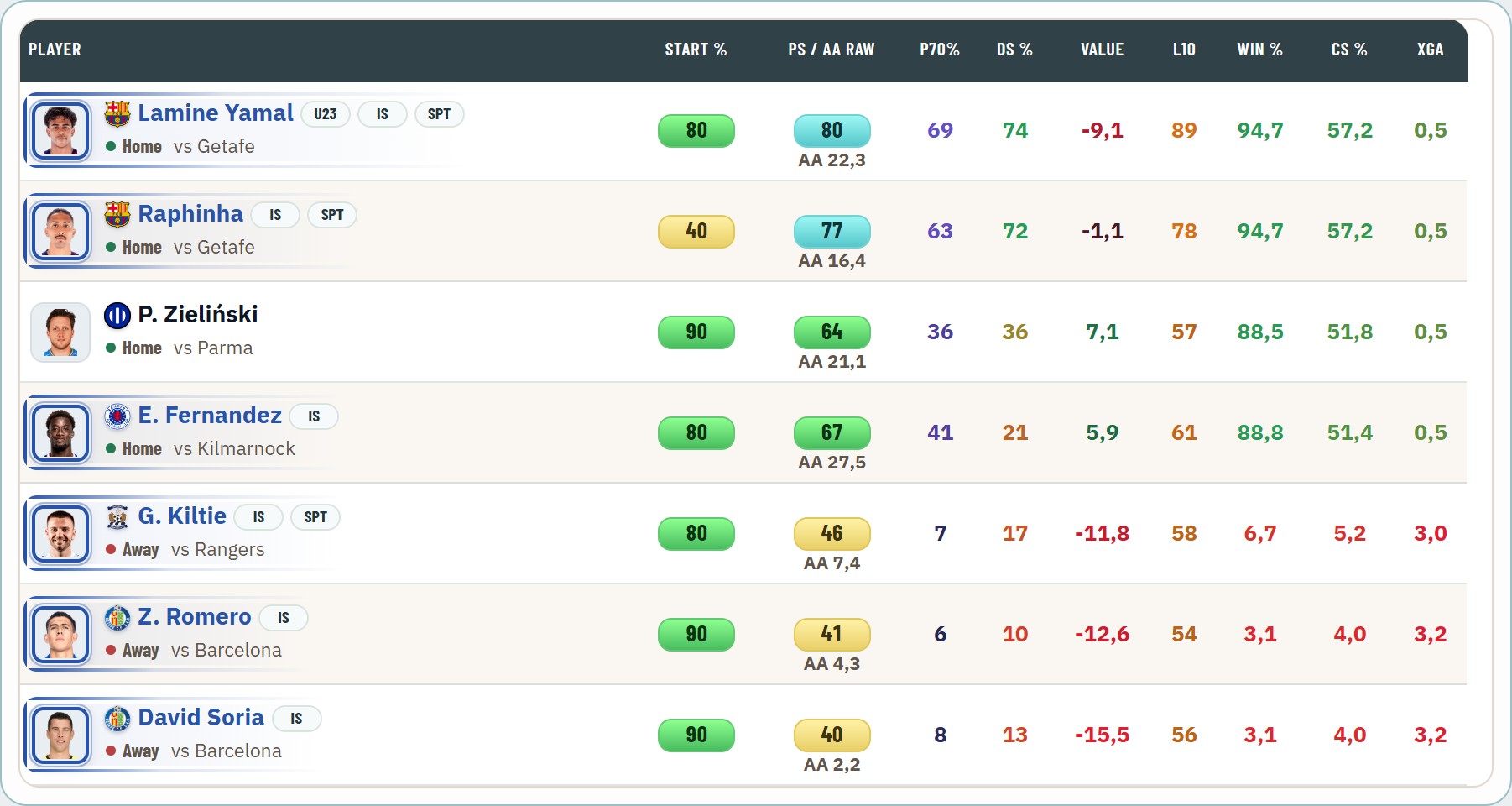
Value compares the projection with the L10 average. Lamine Yamal is red there because his L10 of 89 is above his projection of 80, not because the matchup is bad.
In the other tabs
- Team Forecast colors xG and xGA of each fixture, Team Stats the CS %, and Injuries & Suspensions the L10.
- In Daily Missions, the DS% pill of the task cards takes the colors, like the Start % pill beside it. In the tables, DS% is now a plain number like the other stats.
- The player cards in the Lineup Builder color Win %, CS %, xTG, xGA and DS%. They now show P70%, the model's chance of a 70+ score in this match, instead of the past 70+ share.
Light and dark
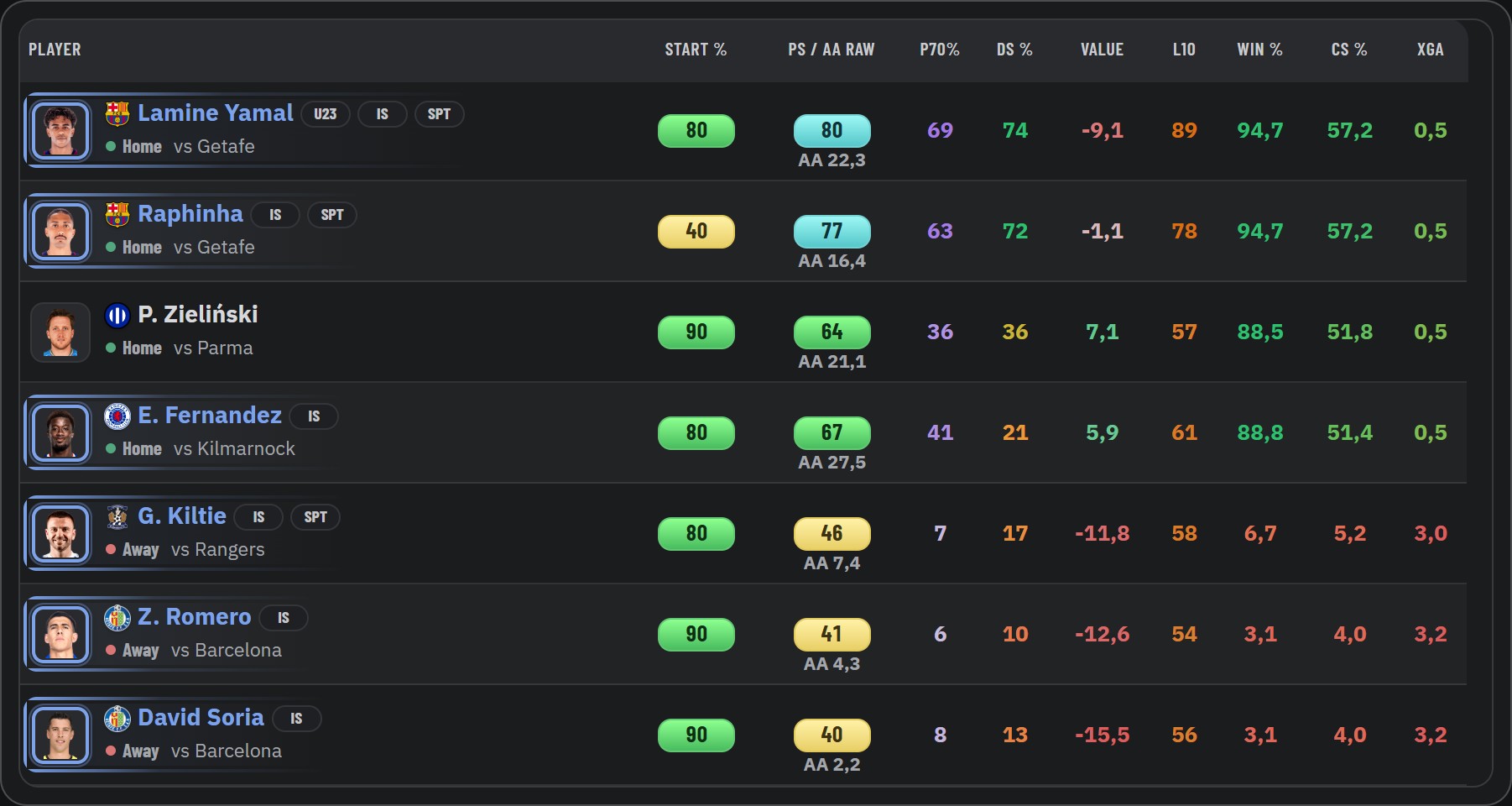
The colors are tuned for both themes: deeper tones on the light theme, brighter ones on the dark theme, so they stay readable on both.
Also new: every preference at a glance
Settings > Preferences now shows one open block per area instead of sections you have to open first, so every setting is visible at once.
Thanks for the request. If a stat you rely on is still missing a color, let me know.