Sorare NBA on SoProb:Eight Tabs for the New Season
NBA on SoProb is ready for the regular season: projected points for every player, an Auto Builder that fills your lineups within each board's stars cap, daily missions with your chance to reach the points they need, four planning tabs for injuries, fixtures, depth charts and minutes, and a tracker for your NBA collections.
With the new NBA season every NBA tab on SoProb is ready: seven tabs that take you from the schedule to a submitted lineup and to Sorare's daily missions, and the Collection Tracker under NBA Tools for your NBA collections. This post walks through each tab, what you see in it and why it helps. The NBA tabs come with NBA access and a linked Sorare account; your own cards come in with Sync Cards.
NBA at a glance
| Tab | Use it to | Look first at |
|---|---|---|
| Lineup Builder | build and save lineups for every NBA board | Stars against the cap and the team's PP |
| Player DB | compare every player with a projection | Value, PP and PP Q80 |
| Daily Missions | fill Sorare's NBA missions with your best cards | Needs and Chance |
| Injuries | see who is out and who steps in | Status, Return and the backups |
| Fixtures | find teams with more games and good odds | Games, B2B and Win % |
| Depth Chart | read every team's rotation | Depth and your own cards |
| Minutes | spot growing and shrinking roles | The Trend columns |
| Collection Tracker | raise your NBA collections to the next level | The points to the next level |
How I use it in a gameweek
- Fixtures: I start with the schedule: teams with four games or without a back-to-back are worth a closer look.
- Player DB: Then I sort by Value to find players projected above their recent form.
- Injuries: Before I commit, I check who is out and who gains minutes from it, together with the Depth Chart.
- Lineup Builder: I let the Auto Builder fill each board, change a slot or two and export the teams to Sorare.
- Daily Missions: Every day I check the missions and send my best cards with one click.
Lineup Builder: every NBA board with the stars cap handled
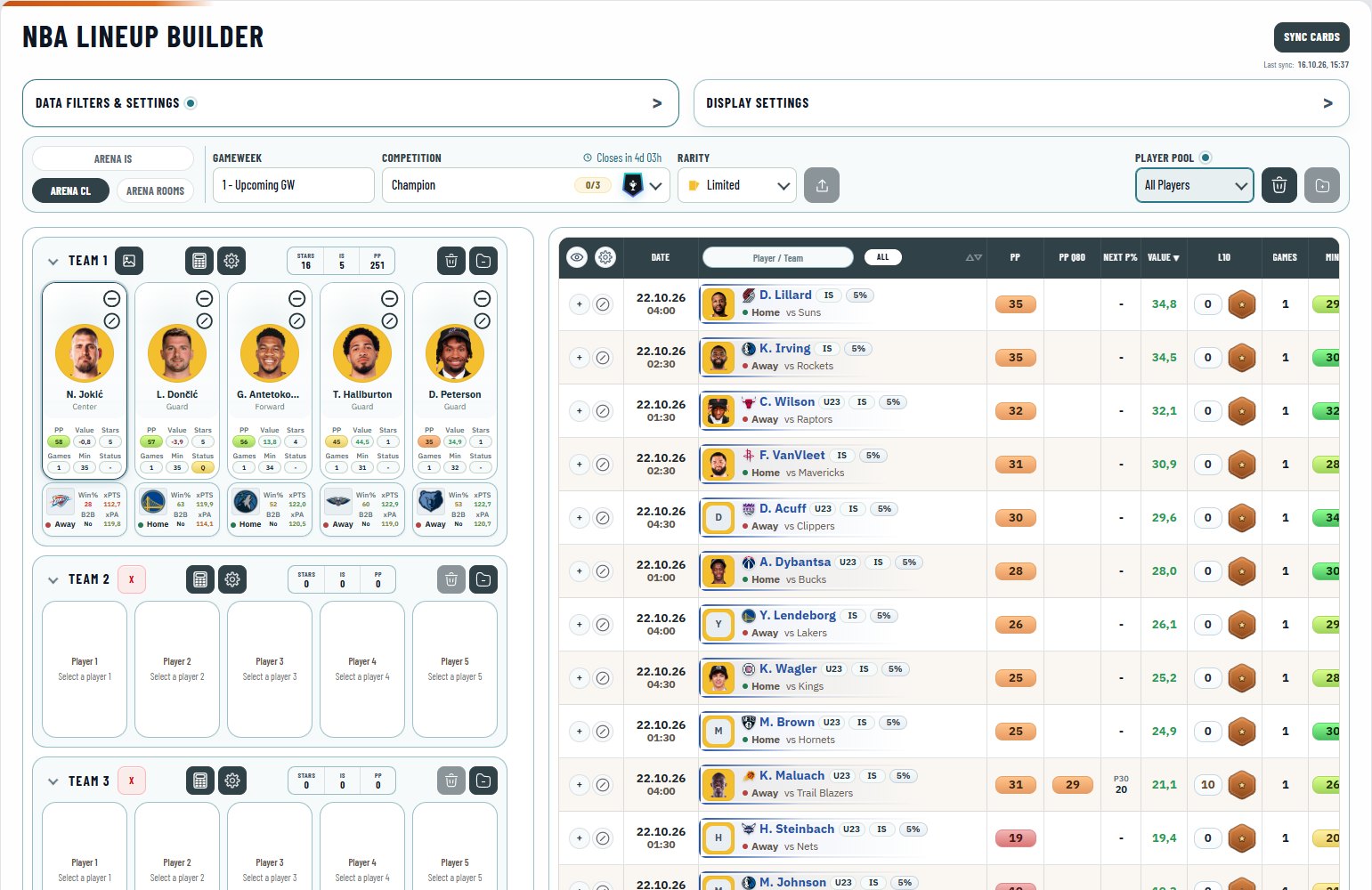
The Lineup Builder builds and saves your NBA lineups for every board of a gameweek. It checks the board's rules for you, shows what matters on each card, and its Auto Builder fills a team in one click.
- Context bar: Arena mode, gameweek, board, rarity and player pool, with your saved teams against Sorare's limit; on the right the groups Sorare, Auto Builder and Teams.
- Team cards: Five slots, each open to every position, with the player's PP, Value, stars, games, minutes and status.
- Team header: The total stars against the board's cap, the In-Season cards and the team's PP.
- Candidate list: Your cards or all players, with PP, ceiling, point chances, L10 and status.
What it does for you:
- Stars cap at a glance: The team header adds up the gameplay stars and marks a team that breaks the cap. No more adding stars by hand before you submit.
- Auto Builder: One click fills the open slots with the strongest team the rules allow from your candidates, on PP, PP Q80 or PP Raw. You start from a sound team and only fine-tune it.
- One card, one lineup: Saved teams reserve their cards for the gameweek across every board. The same card never ends up in two lineups by mistake.
- Export and import with Sorare: Export sends finished Champion and Contender teams to Sorare with a review first; import brings your Sorare teams in as new teams, replacing yours only after a second click. No rebuilding a team card by card, in either direction.
- Opponent on the card: Each card shows the opponent's win chance, a back-to-back flag and the expected points of both teams. The schedule sits right next to the pick.
Start here:
- Choose the mode, the gameweek and the board.
- Press Auto Build on Team 1, or add players with the plus in the candidate list.
- Check the stars and the rule lines, then export the teams to Sorare.
Player DB: every projection next to form and price
The Player DB lists every NBA player with a projection for the gameweek. It puts the projected points of his best game next to his recent form, his chances to reach a score, his minutes, his status and the price of his cards.
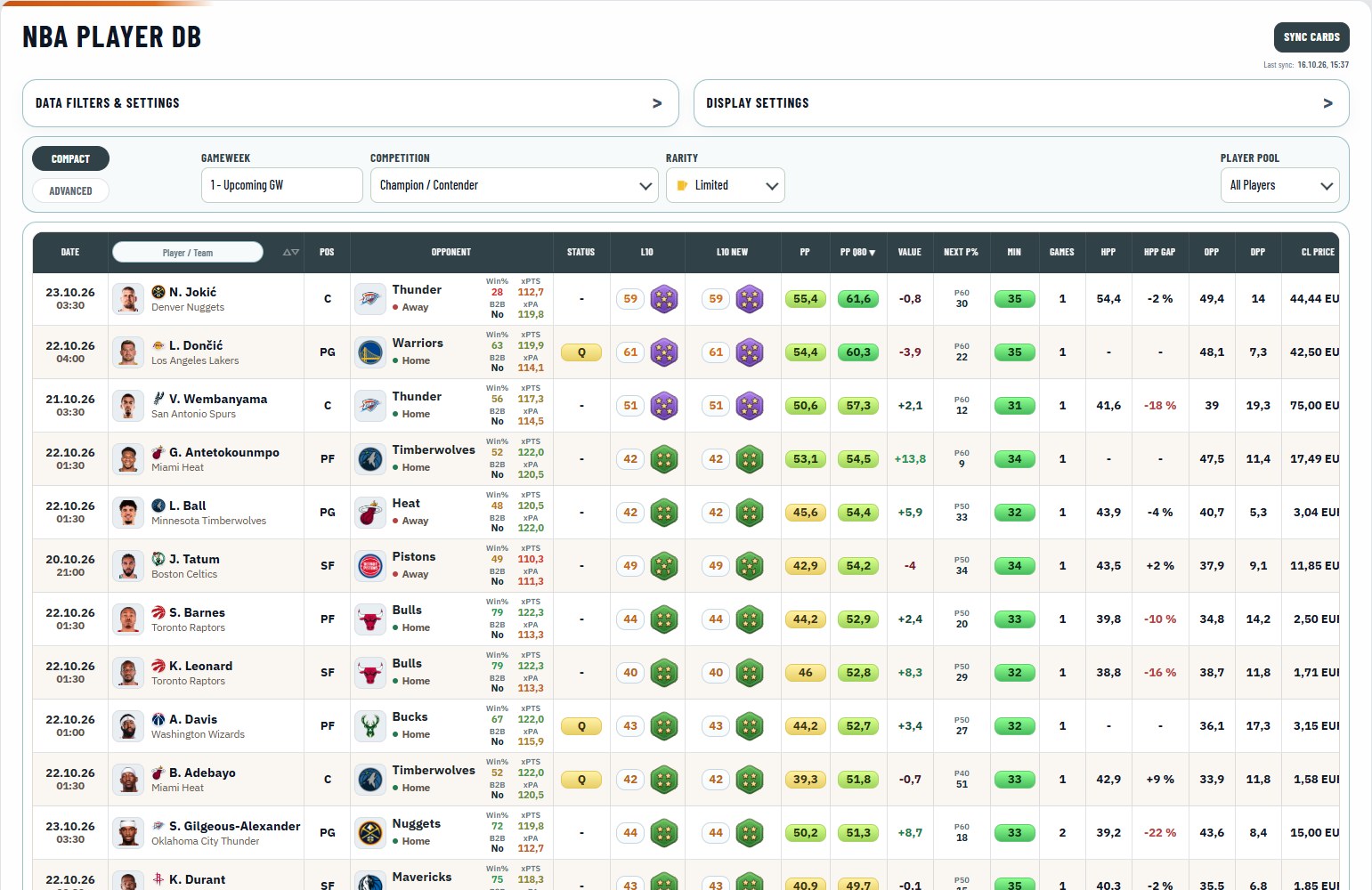
- Context bar: Compact or Advanced, the gameweek, the competition, the rarity of the prices and the player pool.
- Player cell: Name, team crest and a ring in the colour of every rarity you own.
- Projection: PP for his best game, PP Q80 for the upside, Value against L10 and the chance to reach the next step.
- Context: The opponent with win chance and back-to-back flag, minutes, games, status and In-Season and Classic prices.
What it does for you:
- Value first: The table opens sorted by Value: the projection with the card bonus against his L10. Players projected above their recent scores rise to the top.
- PP, ceiling and point chances: An average expectation, a high but realistic score and the chance to reach 20 to 60 points. You can play it safe or go for upside, depending on the board.
- L10 New: Where his L10 and gameplay stars are heading at the next deadline; the line under each shows the change, red for up and green for down. It helps with the stars cap and with buying before a tier changes.
- Prices beside the projection: The floor or the last sale for In-Season and Classic in your currency, linked to the card on Sorare. Projection and price in one view.
- Competition rooms: U23 and Veterans show only the players they allow. No checking ages by hand.
Start here:
- Pick the gameweek and the rarity you play.
- Sort by Value or PP, and switch to My Gallery to see your own players.
- Save a filter set you use often as a preset.
Daily Missions: your best cards for Sorare's NBA missions
Daily Missions shows Sorare's NBA missions of the day with the best of your cards for each one. For the standard picker it shows the points a player needs and his chance to get there, and it sends your picks to Sorare in one click.
- Missions: Each mission with its description, reward and an Export to Sorare button, with the rarity and the player pool beside them.
- Candidates: Your best cards for the mission with expected minutes, the points needed and the chance to reach them.
- Player table: Every player of the missions' games with Needs, Chance, PP, L10 and status.
What it does for you:
- Only the games that count: Candidates and table follow the games Sorare lists for each mission. No pick on a game the mission does not accept.
- Chance to complete it: For the standard picker every player gets the points he needs and his chance to reach them. The best picks for the mission come first.
- One-click export: The browser extension fills the mission's pick slots with your best available cards and takes the copy with the highest bonus. Missions done in seconds.
- Safe picks only: Players who are out or not expected to play stay in the table but are never sent. No pick wasted on a player who sits out.
Start here:
- Choose the rarity of the missions you play.
- Open a mission to see its best candidates.
- Press Export to Sorare once the extension is connected to your SoProb account.
Injuries: who is out and who steps in
Injuries lists every NBA player on the injury report with his status and expected return, and the likely replacements from the depth chart with their form and the price of their cards.
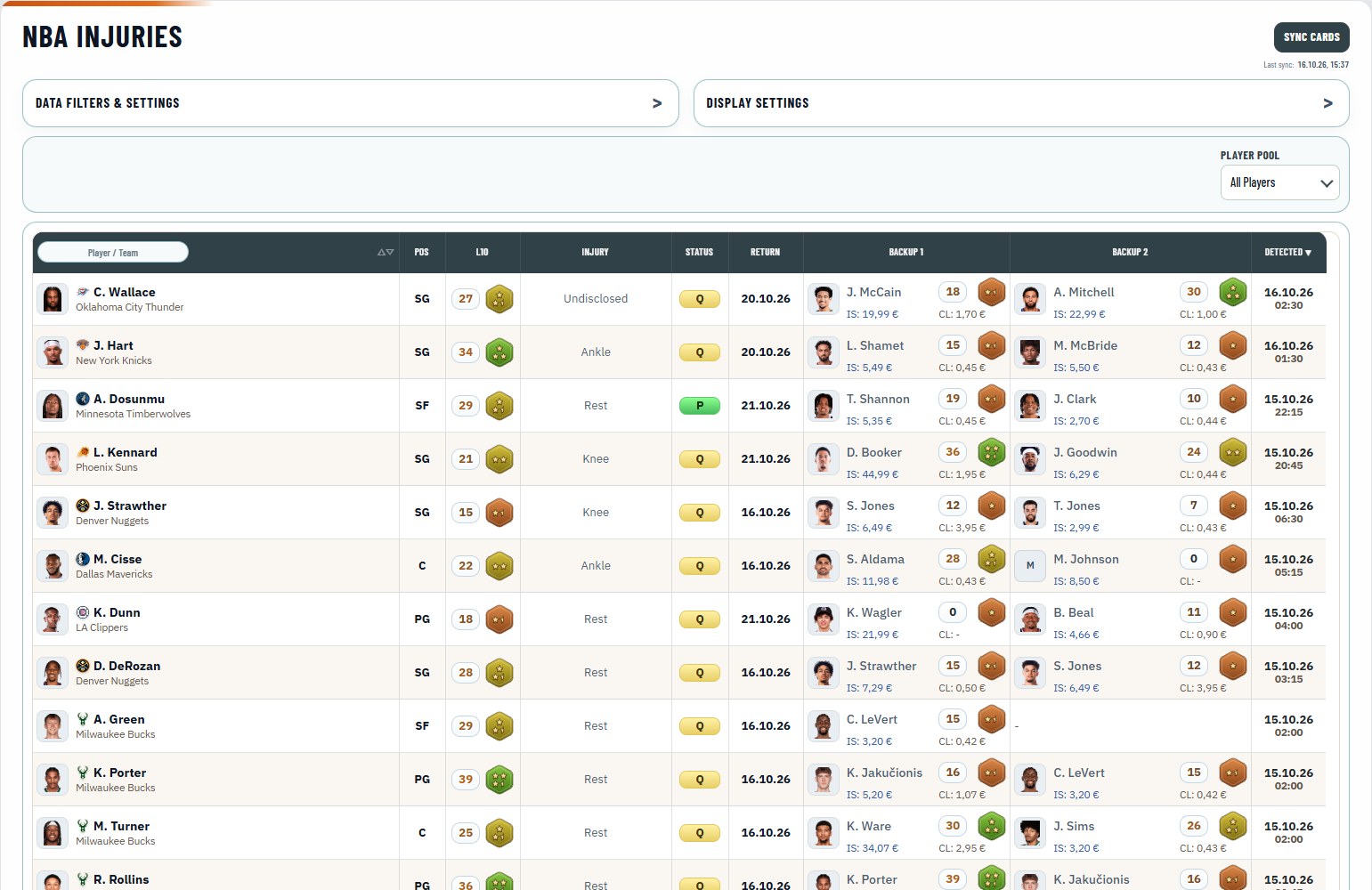
- Status: From Out for Season to Probable, in colour; hover for the injury.
- Return: The expected return date as reported.
- Backups: Up to three likely replacements with L10, gameplay stars and the cheapest In-Season and Classic card.
What it does for you:
- Backups with prices: When a starter is out you see at once who gains minutes and what his card costs. You can react before the market does.
- Newest first: The table opens with the latest entries on top. Late news stands out.
- Your players only: With My Gallery the list shows the injuries that touch your cards. You see what affects your lineups.
Start here:
- Switch the player pool to My Gallery to see your own players.
- Choose the rarity of the backup prices in the filters.
- Click a backup's price to open the card on Sorare.
Fixtures: games, back-to-backs and odds per team
Fixtures shows the NBA schedule of a gameweek: one row per team and game with the opponent, recent form, the bookmaker's win chance and expected points, the number of games and the back-to-backs.
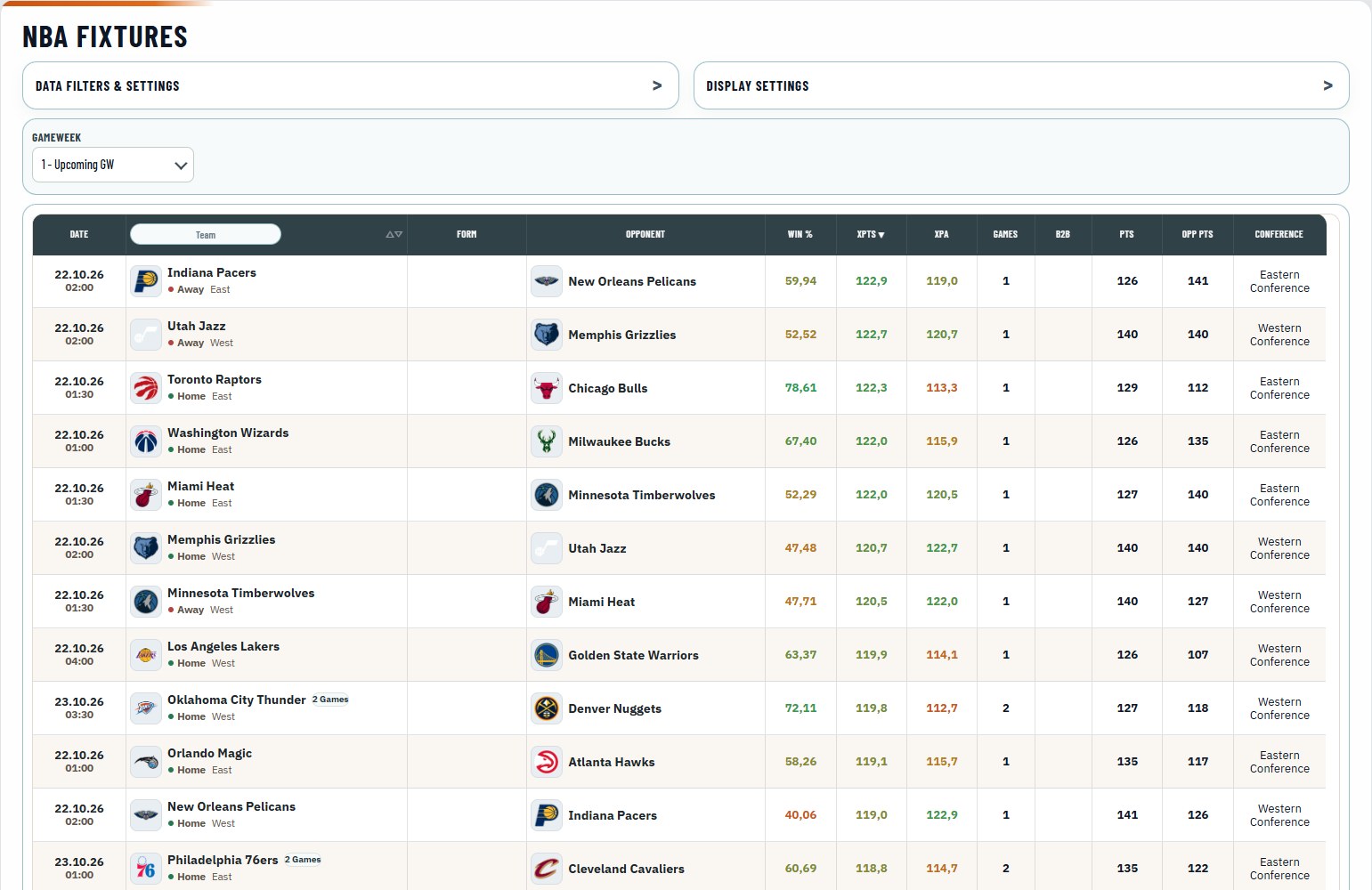
- Team: Home or away, conference and a Games pill when a team plays more than once.
- Form: The team's last ten results; hover them for opponent and score.
- Odds: Win %, the team's expected points (xPTS) and the opponent's (xPA).
- Schedule: Games in the gameweek, B2B for back-to-backs and the projected points of both teams.
What it does for you:
- Games and back-to-backs: A team with four games gives its players four chances to score, and a back-to-back raises the risk of rest days. The biggest schedule edge of the week in two columns.
- Blowout risk: A big gap between xPTS and xPA points to a one-sided game. Starters of a blowout may sit late in the game.
- Schedule filters: Show only teams with 3+ games, only back-to-backs or only home games. A shortlist in seconds.
Start here:
- Choose the gameweek.
- Sort by Games, or filter for teams with 3+ games.
- Take the teams you like into the Player DB.
Depth Chart: every team's rotation by position
The Depth Chart shows each team's rotation from point guard to center in depth order, with every player's L10, gameplay stars and a mark for the cards you own.
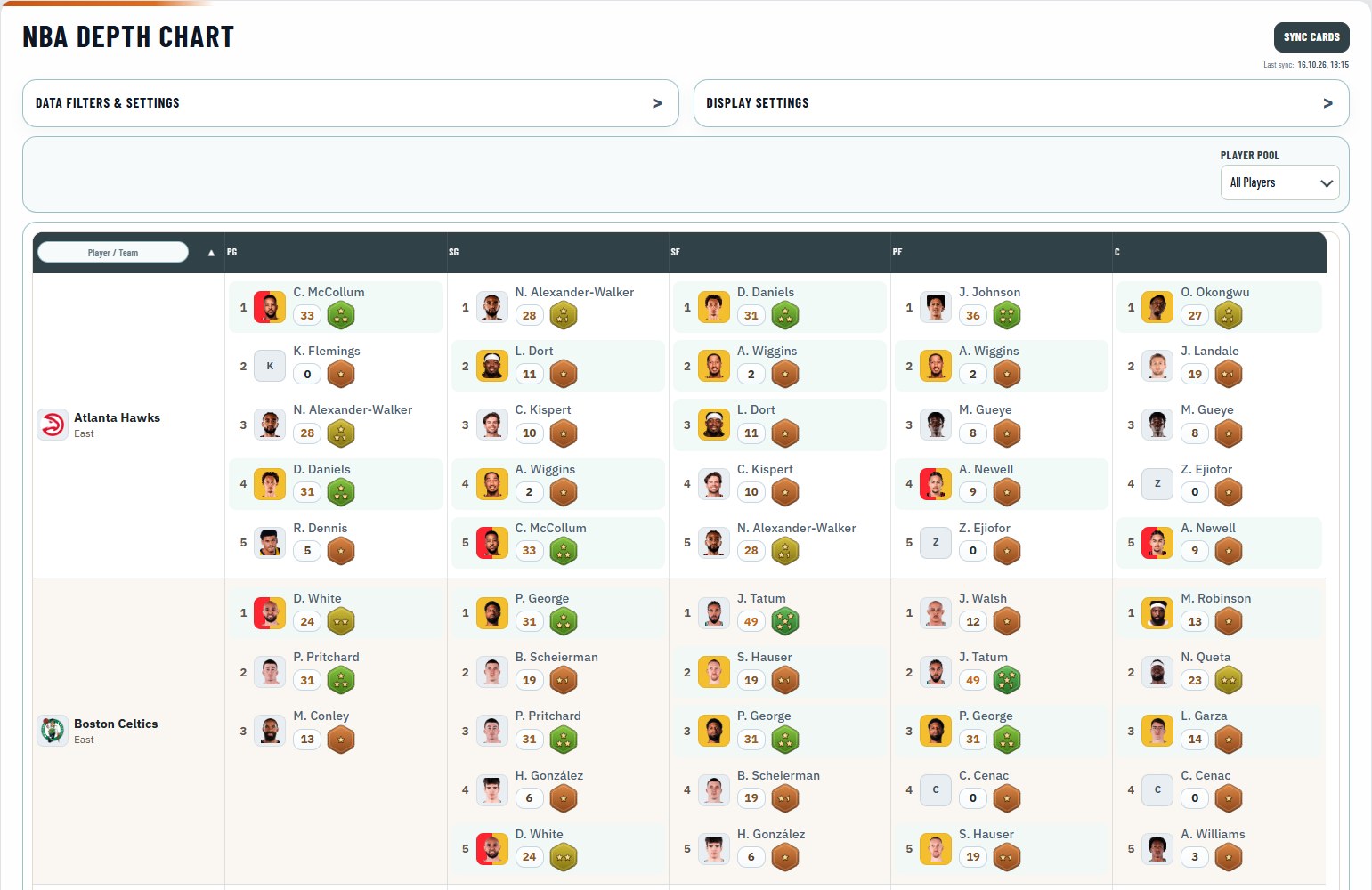
- Teams: One row per team and one column per position, from PG to C.
- Players: Each player in depth order, 1 is the starter, with L10 and gameplay stars.
- Your cards: A ring and a highlight for the players you own.
What it does for you:
- The whole rotation at once: Starters and backups of every team side by side. You see who moves up when a starter is out.
- Stars beside every name: Plan the lineup stars cap before you open the builder. Fewer surprises in the team header.
- Depth range: Show only the starters or every backup down the line. The view stays as short as you need it.
Start here:
- Switch to My Gallery to see where your players stand.
- Set the depth range in the filters.
- Search a team or a player in the Team column.
Minutes: who plays more lately
Minutes shows how many minutes every NBA player gets over his last 3, 5 and 10 games and the season, whether his role is growing or shrinking, and his last five games.
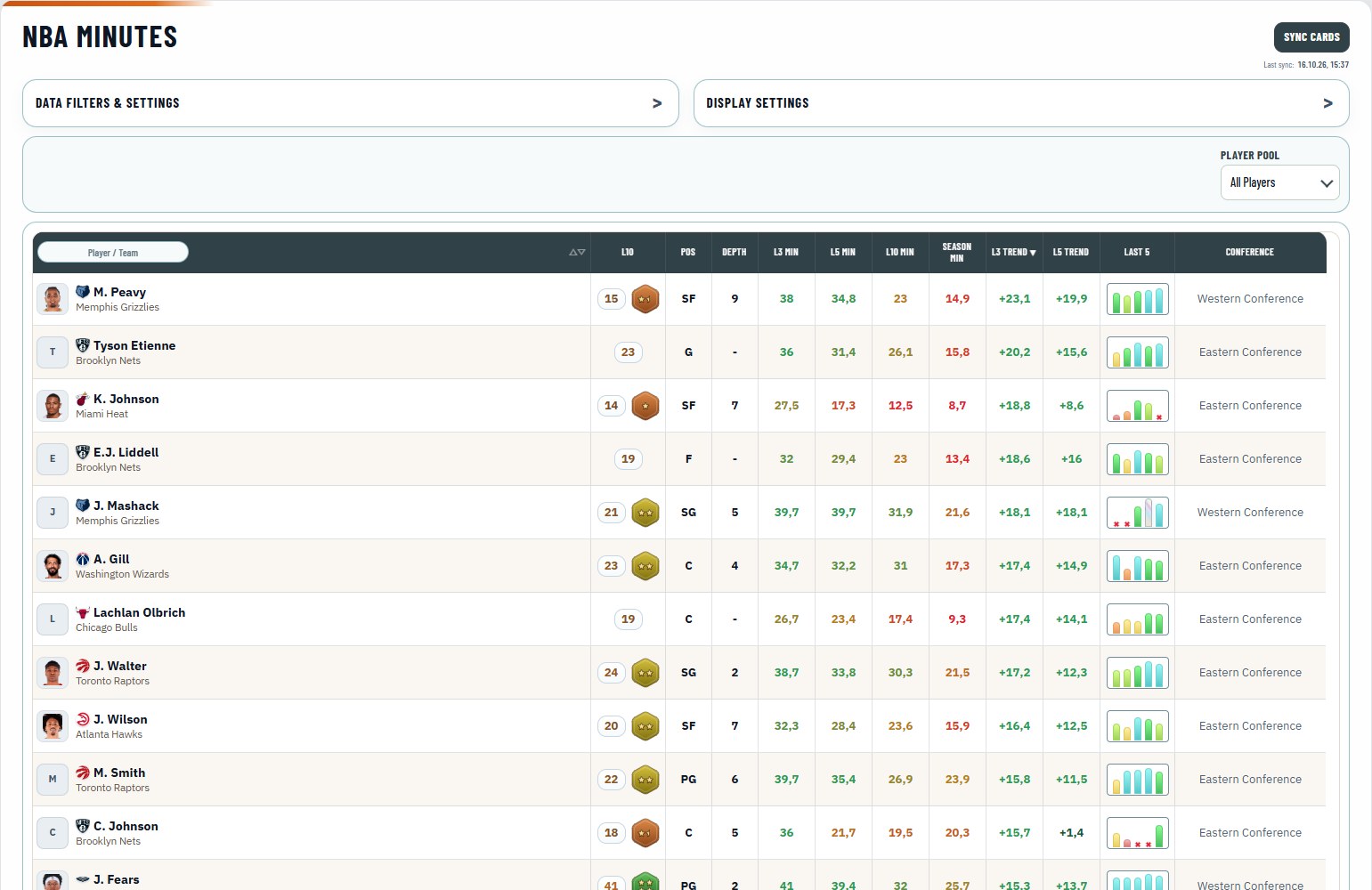
- Minutes: L3 Min, L5 Min, L10 Min and Season Min; a dash means no game in that window.
- Trend: L3 Trend and L5 Trend compare recent minutes with the season; positive means a bigger role.
- Last 5: One bar per game and a gap when he did not play; hover for the minutes.
- Pos and Depth: His place in the current depth chart.
What it does for you:
- Roles change before scores do: The Trend columns show who gets more minutes lately. In the NBA, minutes drive points.
- Real minutes only: The minutes filter keeps players with at least 20 or 25 minutes in the window you choose. Bench players drop out of the list.
- With depth and position: See whether more minutes come with a starting role. It pairs well with the Depth Chart and Injuries.
Start here:
- Choose the window and the minimum minutes in the filters.
- Sort by L5 Trend.
- Switch to My Gallery to check your own players.
Collection Tracker: your NBA collections, levels and the players you miss
Collection Tracker shows each of your NBA collections of a rarity with its points, its level, the points to the next level and the share of players you own. The Missing Players view lists the players you lack by position, with the cheapest cards that would add them.
- Context bar: Collections or Missing Players, and the rarity.
- Collection cards: Each collection with its points, its level, the points to the next level and its bonus, and the players you own.
- Missing players: The players you still lack, by guard, forward and center, with the cheapest standard card, the cheapest special edition and running auctions.
What it does for you:
- Points to the next level: Each collection shows how many points it still needs for its next level. See which collection is closest to a higher bonus.
- Pinned collections first: Pin collections to place their cards and missing players first. Your current albums always in view.
- Cheapest way in: Missing Players shows the cheapest card for each missing player, standard and special edition. Complete collections for less.
Start here:
- Choose the rarity in the context bar.
- Find the collection closest to its next level.
- Switch to Missing Players for the cheapest cards.
Your NBA cards
Your NBA cards follow you through every tab, synced from Sorare and kept apart from your football cards.
- Sync Cards: the button in the header of the NBA tabs brings in your Limited, Rare, Super Rare and Unique cards; SoProb also refreshes them at least once a day and after your trades.
- A ring for your cards: every NBA table marks the players you own in the colour of their rarity.
- My Gallery: every tab with a player pool can show only the players you own.
Your NBA area on Start
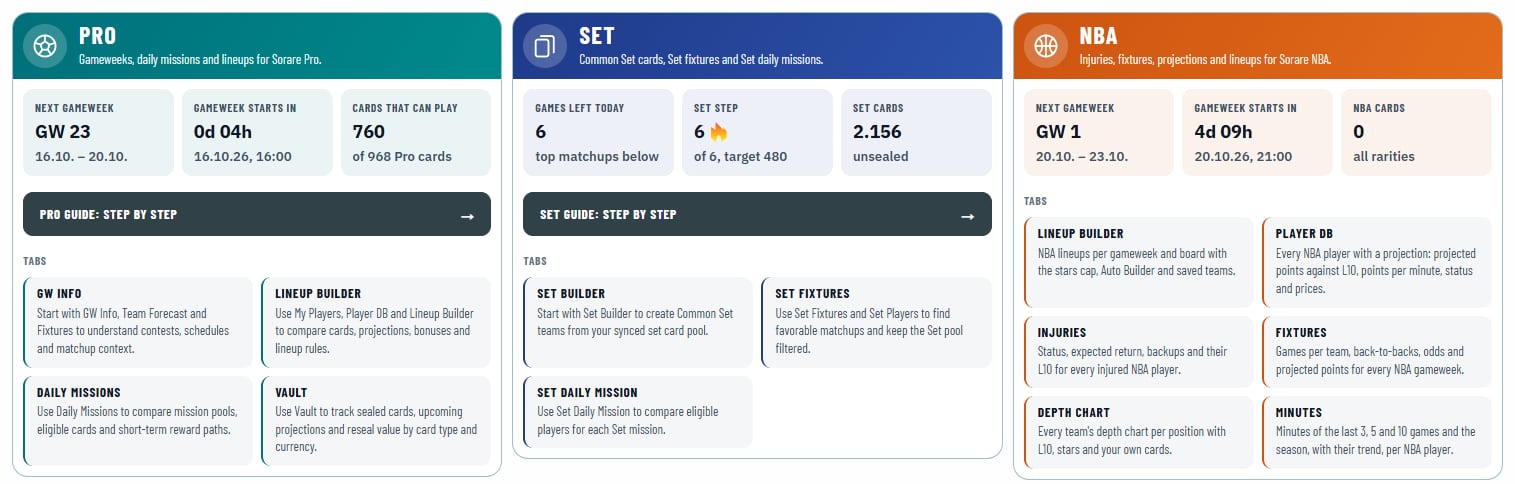
Start has its own NBA area in orange: the running or next gameweek, the time until it starts or ends, how many NBA cards you hold and buttons to the NBA tabs.
Send NBA missions to Sorare
The mission export runs through the SoProb browser extension from the download on SoProb. Connect it once to your SoProb account in its popup. After that, the Export to Sorare buttons fill the mission in your Sorare tab, and if something stops the export, the reason shows right below the mission.
Settings for every NBA tab
Under Settings, Preferences, NBA you decide how the NBA tabs show their numbers. Stat Colors under General colour win chances, minutes and Value in every tab.
| Setting | What it changes |
|---|---|
| Player Names | Abbreviated or full names in every NBA tab |
| Gameplay Stars | Shows or hides the stars badge next to every L10 |
| Projected Points | Average, Ceiling (Q80) or both; with both, PP Q80 gets its own column |
| Projection View | Compact shows the best game, Advanced every game of the gameweek |
| Point Chances | One column for the next step, or one each for 20 to 60 points |
What the numbers can and cannot tell you
Projections, chances and odds are estimates. A player can still sit out, play fewer minutes or have a quiet night, and late changes happen. I check the injury status and the latest news before I submit, and I keep an eye on back-to-backs. A player's gameweek score is his best game, so PP shows that game.
Start in five minutes
- Link your Sorare account on Start if you have not yet.
- Press Sync Cards to bring in your NBA cards.
- Open the Player DB and sort by Value.
- Build a team in the Lineup Builder with Auto Build.
- Check today's missions in Daily Missions.
NBA is new on SoProb, and I will keep improving it through the season. If something is missing or unclear, write to me through Contact.