Team export:no extension needed
Build your teams in SoProb, export the whole selection and confirm on Sorare. Here is where to find the button, what you need and which limits apply.
You can now send teams from the Lineup Builder to Sorare without installing the browser extension. SoProb prepares an import preview; you review and confirm the teams on Sorare. Clicking Export does not finish the submission by itself. The illustrations use the light theme; everything works the same in dark mode.
Before you start
- Sign in to SoProb with access to the Pro tools and connect your Sorare account. Sorare must allow lineup imports for that account/application. Reconnect if the export asks you to.
- Sync your Pro cards. Use owned, unsealed card copies from My Gallery, not player placeholders from All Players or Watchlist.
- Select a supported mode, competition, gameweek and rarity. The competition must still accept lineups, and its deadline must not have passed.
- Complete every started team and satisfy the competition rules: starter positions, captain where required, eligibility and score caps. Optional substitutes can stay empty; any substitutes you include must meet their rules.
- Do not reuse the same card copy in multiple exported teams. Cards already committed to another Sorare competition cannot be moved by this export.
1. Find the Export all teams button
In the Lineup Builder context bar, look immediately beside the Rarity selector. The square button with an upward arrow coming out of a tray is Export all teams to Sorare. It applies to the selected competition, gameweek and rarity, not to every competition in your account.
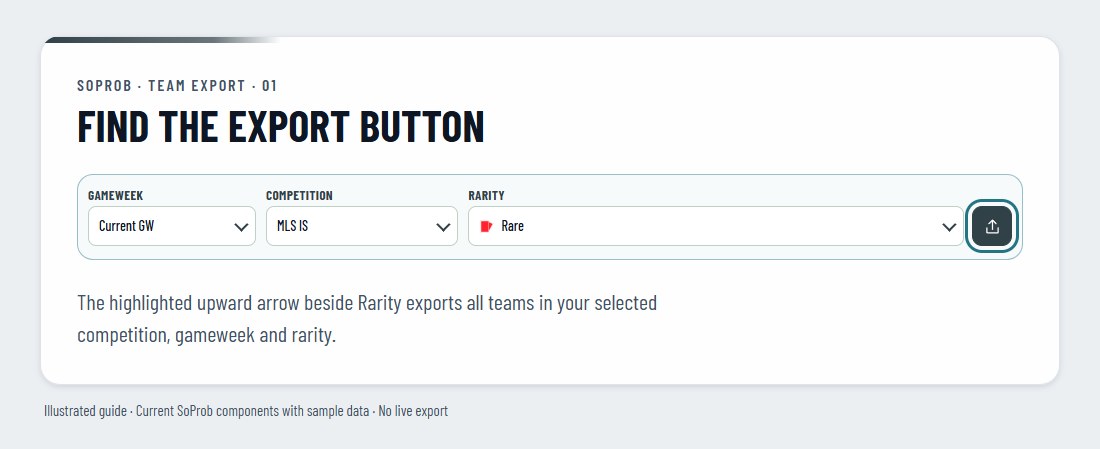
The button is shown only for supported modes. If it is disabled, wait for loading to finish and check all started teams. A red X on a team identifies missing players or invalid rules. Completely empty team placeholders are ignored; partially completed teams block the export instead of silently being left out.
The picture-export control on a valid individual team creates an image. It does not submit that team to Sorare. Direct Sorare export currently uses the all-teams button only.
2. Export, then confirm on Sorare
- Click Export all teams once. SoProb saves the latest lineup state and checks ownership, availability and Sorare's competition rules.
- Keep the newly opened preparation tab open. Once the preview is ready, it opens Sorare automatically.
- Review the teams on Sorare and confirm the import there. You may need to sign in to the same Sorare account you connected to SoProb.
- If a new tab did not open, use Open Sorare in the export status message when the preview is ready. Check status reads the import result; it does not create another export.
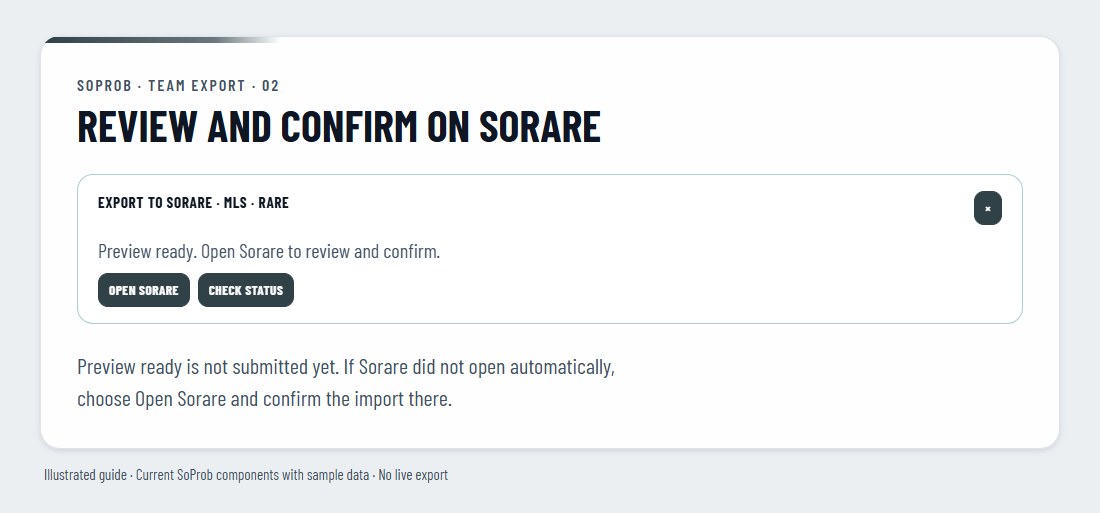
Wait for the final result. Preparing or Preview ready is not the same as Teams imported at Sorare. Check your lineups on Sorare if an import fails or the result remains uncertain; do not repeatedly click Export or Try again while the outcome is unknown.
3. Take care when teams already exist
This is a full-team export, not an append-only action. Include every team you want to keep for the selected competition, gameweek and rarity in the builder before replacing an existing set.
If the export would overwrite different existing Sorare teams, SoProb asks you to review them before choosing Replace all teams. Changes made directly on Sorare can be overwritten, teams not included in your builder selection can be removed and team names may reset. Other competitions are not replaced.
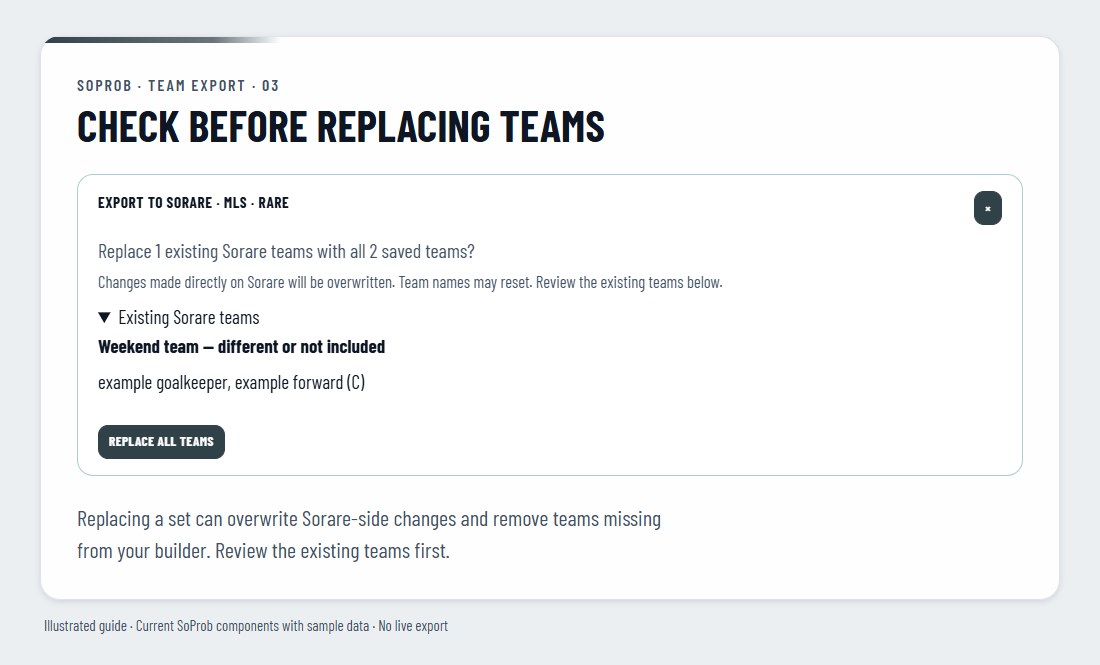
If exactly the same cards and captains are already submitted, SoProb reports that no new preview was created. If you deleted those teams on Sorare, you can export them again: the current Sorare lineups are checked, not just a past successful import. An unfinished import preview must be resolved on Sorare before a new one can be prepared.
Supported modes and current limits
- Supported: Arena IS and Arena CL, plus Pro MLS and K1 League In-Season where the compatible Sorare leaderboard is available.
- Not supported: Set Builder, Arena Rooms, paid-entry formats, other Pro competitions and competitions requiring a manager team. This export does not spend Essence or create a manager team.
- Up to 100 teams per export, subject to the competition's own lower team limit. All non-empty teams in the selected builder context must be included.
- Some existing Sorare teams cannot be safely replaced, including drafts, hidden teams, boosts, manager teams, targeted rewards or teams with locked/live games. Review those directly on Sorare. A changed reward multiplier can also block replacement.
- No automatic background submission: you must review and confirm on Sorare before the deadline. Sorare remains the final authority on eligibility and acceptance.
- Validation uses Sorare's API. Large selections, rate limits or service outages can delay or prevent export. Leave time before the deadline and follow the status message.
Do I still need the extension?
Not for this direct website-to-Sorare export in the supported modes. The extension is a separate tool for its Sorare overlays and in-page features. This announcement does not mean that every competition or export method is now supported without it.