New:the XP Planner shows which of your cards can level up now
XP is a balance you spend on your cards' next level. The new XP Planner shows every card of a rarity with its level, the XP it still needs, when it can level up again and whether your XP covers it, for football and NBA.
Sorare keeps your XP as a balance per rarity, and you spend it on a card's next level. After every level-up the card has to wait before it can level up again, and the higher its level, the longer the wait. On Sorare itself it is hard to see which of your cards are ready, which will be soon and where your XP goes furthest. A member of the community asked on Discord for exactly that tool, so here it is: the XP Planner, for football in Pro Tools and for NBA in NBA Tools.
Everything on one page
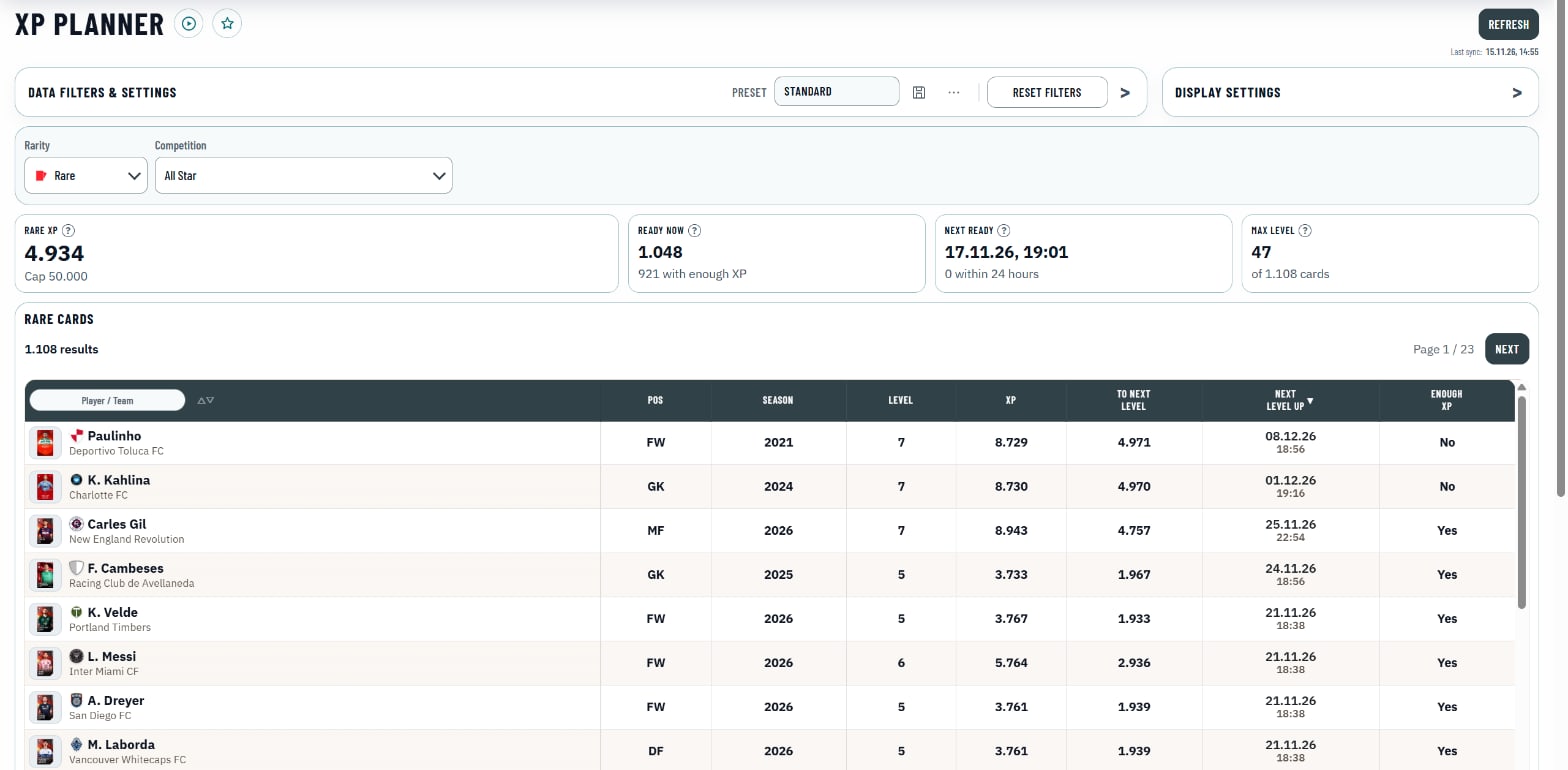
Choose a rarity, and the page lists all your cards of that rarity with their level and their XP. Four tiles on top sum it up:
- XP of the rarity: your XP of that rarity on Sorare, with its cap. When the balance gets close to the cap, the tile says so, so you can spend it before it stops growing.
- Ready Now: how many cards can level up right away, and how many of them your XP covers.
- Next Ready: when the next card that is still waiting can level up.
- Max Level: the cards that cannot level up any further.
When a card can level up again
The table shows for every card:
- Level and XP: where the card stands today.
- To Next Level: how much XP it still needs for its next level; Max when it is at the top.
- Next Level Up: Now, or the date and time from which the card can level up again.
- Enough XP: whether your XP of this rarity covers the card's next level.
The table starts with the cards that can level up right away, then the ones whose wait ends soonest. A click on a column heading sorts by it, for example To Next Level for the cheapest level-ups.
The player's name opens the card on Sorare, where you spend the XP. The XP Planner only shows; it never spends XP itself.
Ready this week, and only what your XP covers
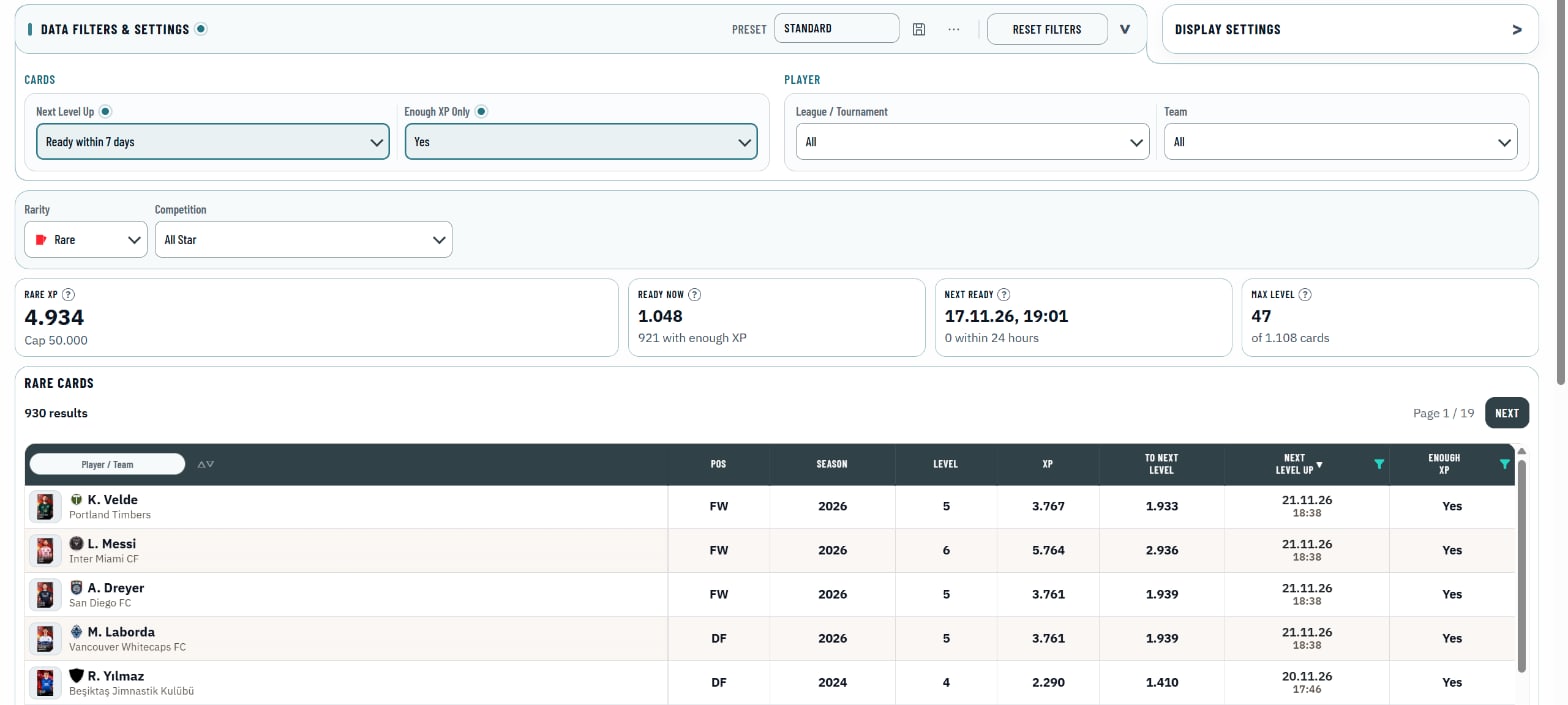
In Data Filters & Settings, Next Level Up keeps only the cards that are ready now, within 24 hours or within 7 days, and Enough XP Only keeps just the cards your XP covers. Both filters also sit in their column: point at the heading and click its funnel. League / Tournament and Team narrow the list to one league or one club.
By competition
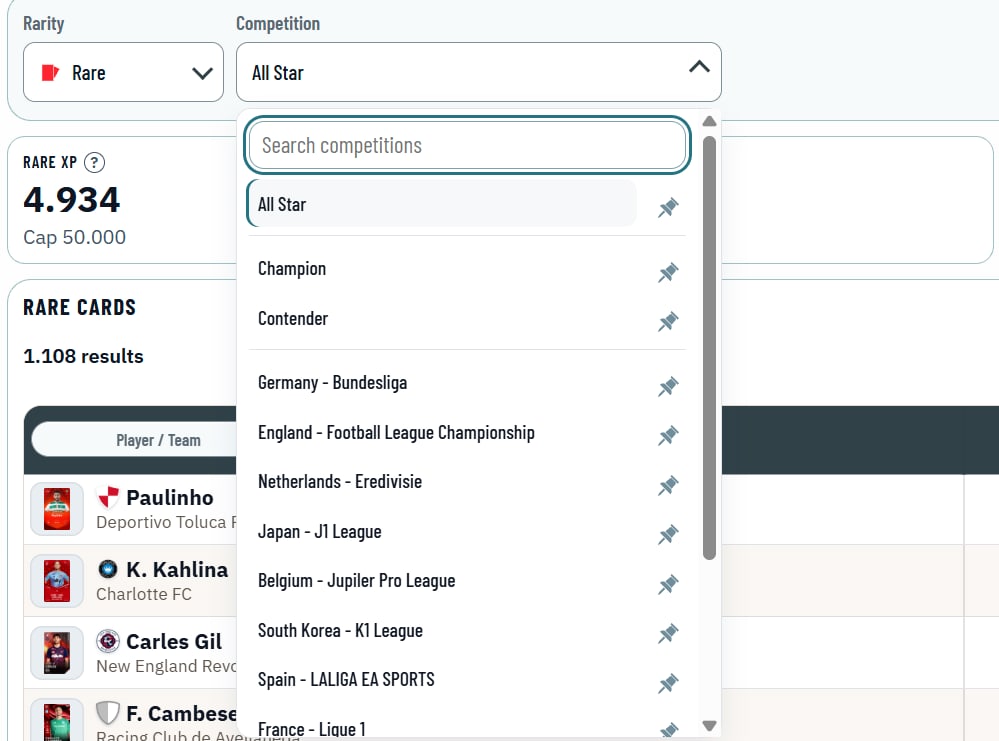
Next to the rarity sits Competition, with the same list as in the Player DB: All Star for every card, then Champion, Contender and the single leagues. The tiles and the table then count only the cards of that competition, so you see at a glance which of your Champion cards can level up today. The list only offers competitions you hold cards of in that rarity.
NBA XP Planner
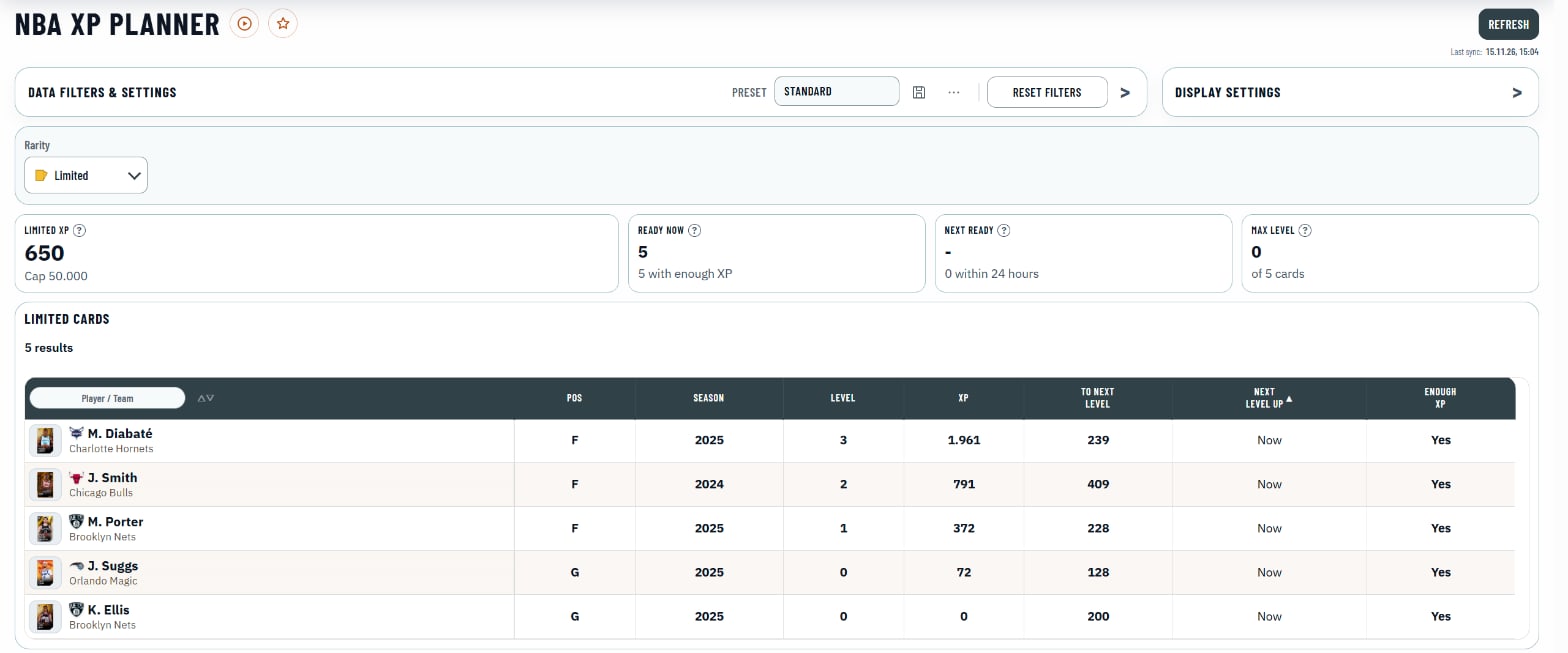
The same page exists for your NBA cards under NBA > Tools, with your NBA XP. NBA has no leagues, so the page has no Competition; the Team filter is there, and the positions read G, F and C.
How fresh the numbers are
Level, XP and the wait come straight from Sorare when you open the page, and I keep them for 15 minutes; sorting, filtering and paging use that read. After you level up a card on Sorare, Refresh reads your cards again, once the last read is a minute old. The first visit to a big collection can take a few seconds while I read all its cards.
Get started
1. Open the XP Planner in the Pro menu under Tools > Cards, or in the NBA menu for your NBA cards. 2. Choose the rarity, and the competition if you like. 3. Set Next Level Up to Ready now, open a card on Sorare through the player's name and spend your XP there.