The SoProb Extension in Firefox, with Installation Videos
The SoProb extension now installs in Firefox straight from soprob.com and keeps itself up to date there. Short videos and new pictures show the installation in Firefox and in Chrome, on the Extension page as well.
The SoProb browser extension now runs in Firefox too. Firefox installs it straight from the Extension page, signed by Mozilla, and keeps it up to date by itself. In Chrome, Edge and Brave the installation stays as it was. A short video shows each installation, and the Extension page now has both videos and a picture for every Firefox step.
One download per browser
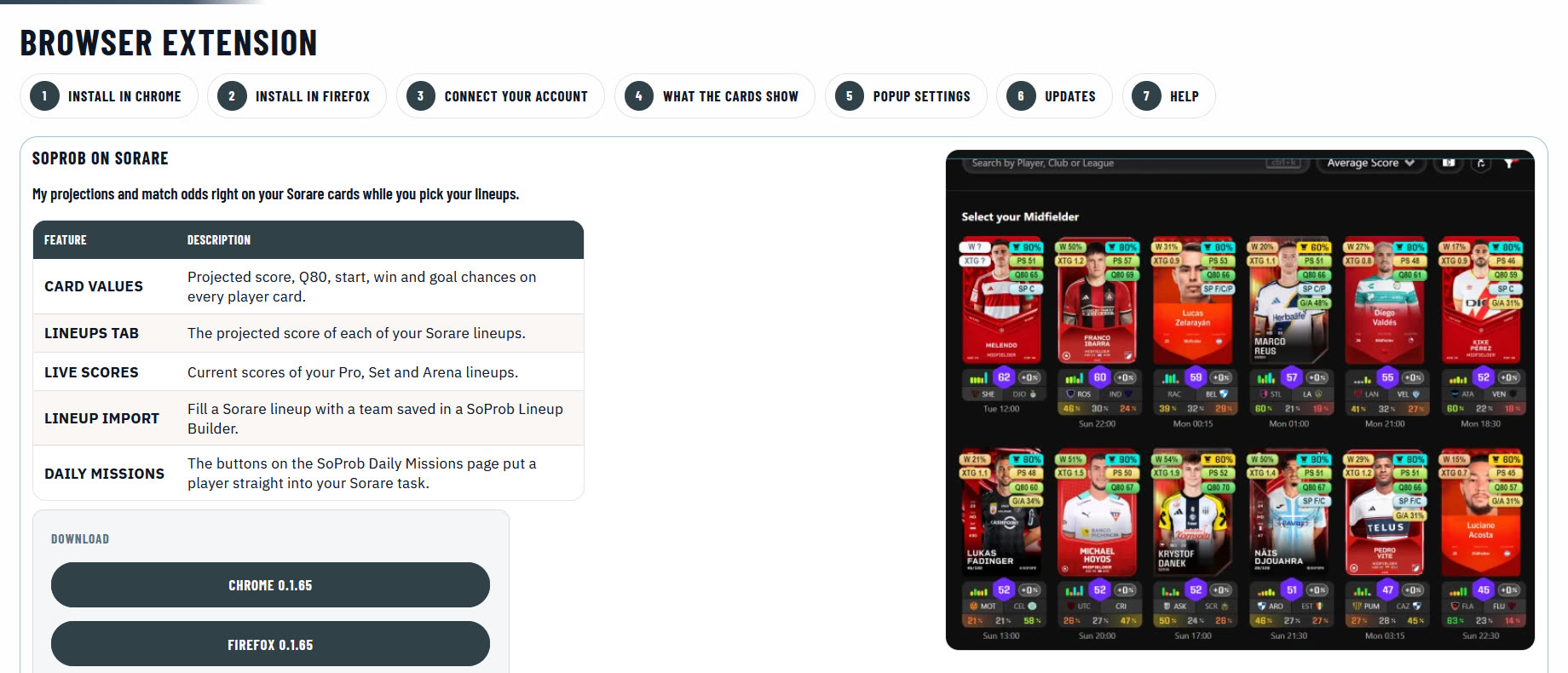
The download panel on the Extension page has one button per browser, each with its current version. The extension is included in the Pro and Set plans. Use only the downloads on this page.
Install in Firefox
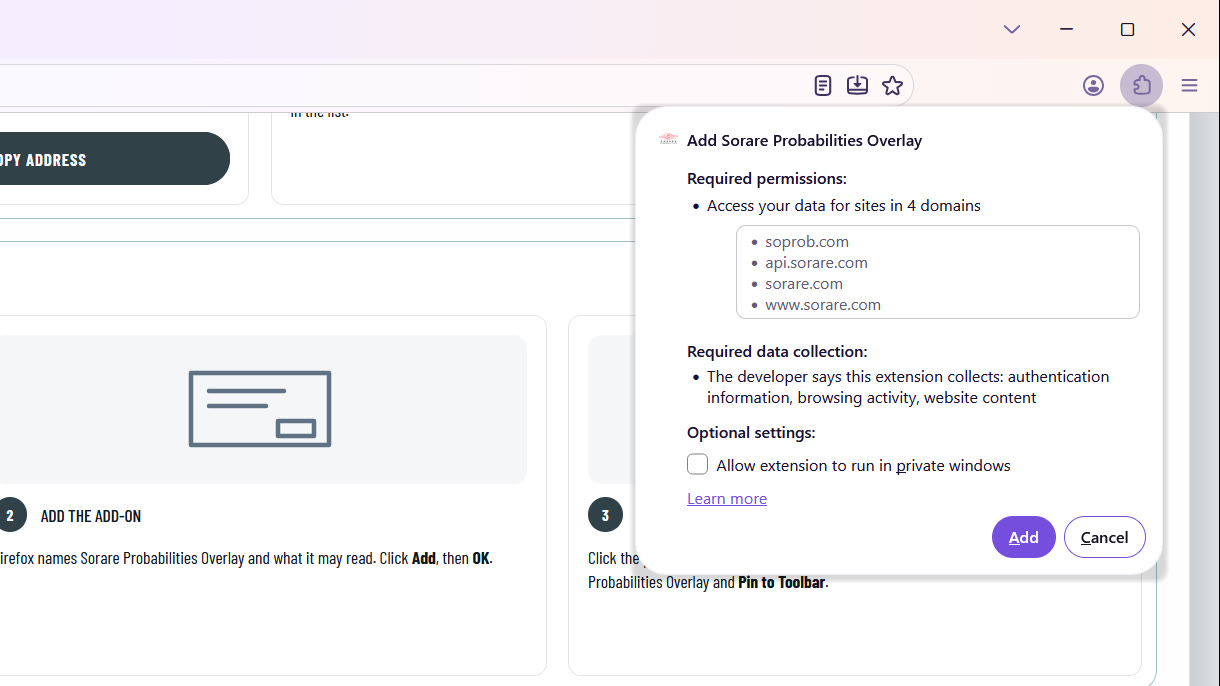
- Open the Extension page in Firefox and click the install button under Install in Firefox.
- Firefox asks whether soprob.com may install add-ons: choose Continue to Installation.
- Firefox names Sorare Probabilities Overlay and what it may read: click Add.
- In the message that the add-on was added, tick Pin extension to toolbar and click OK.
Mozilla signs every version. Firefox installs new versions by itself, usually within a day.
Install in Chrome, Edge and Brave
- Download the Chrome package on the Extension page and unzip it into a folder you keep, for example Documents/SoProb Extension.
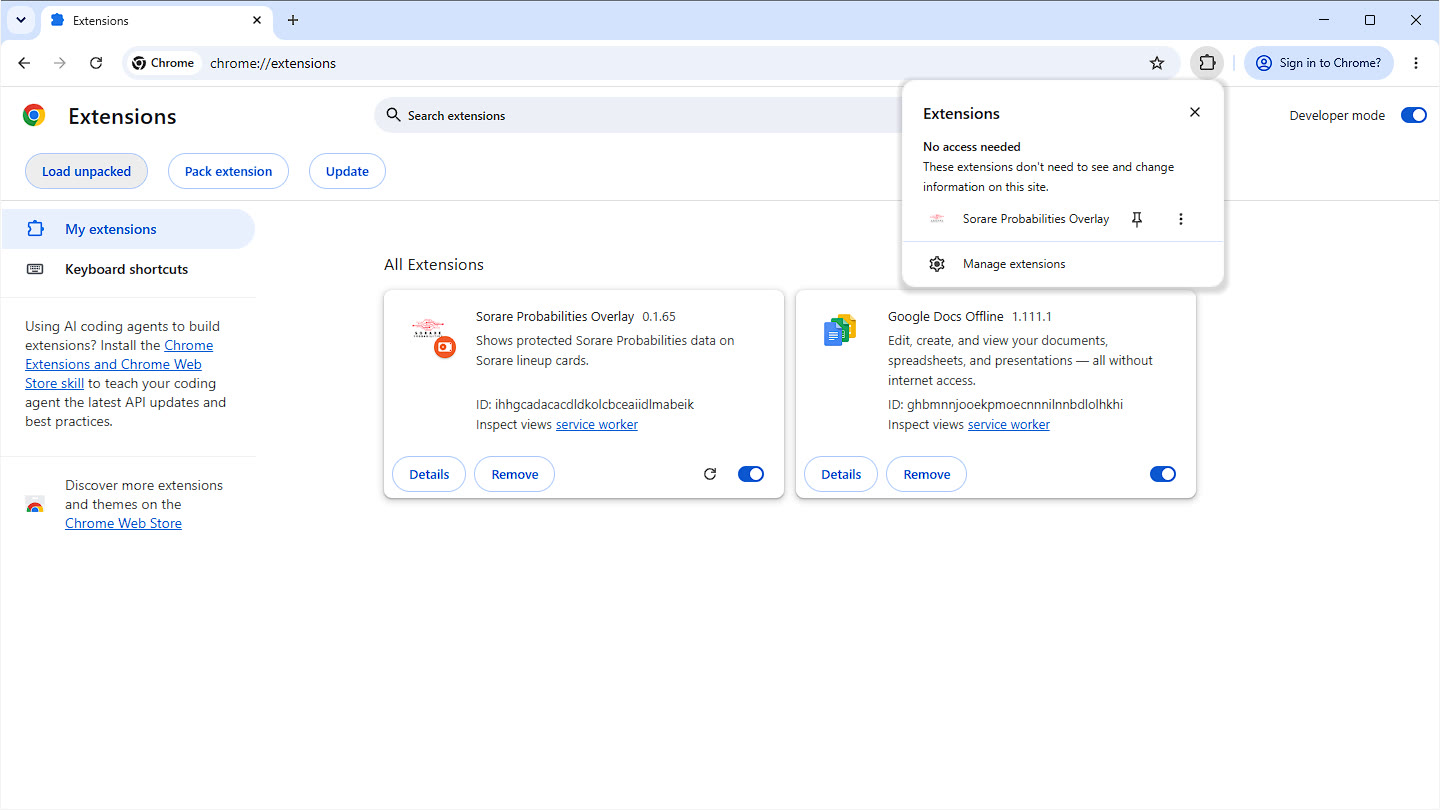
- Open chrome://extensions and switch on Developer mode at the top right.
- Click Load unpacked and choose the unzipped folder, the one with manifest.json.
- Click the puzzle icon next to the address bar and pin Sorare Probabilities Overlay.
Chrome installs extensions from outside the Chrome Web Store only this way, and the extension is no longer in the Store. Updates come through the popup, which tells you when a new version is out.
Then connect your account
Click the SoProb icon in the toolbar and choose Connect account. A soprob.com tab confirms the connection; then refresh Sorare. You connect once per browser.